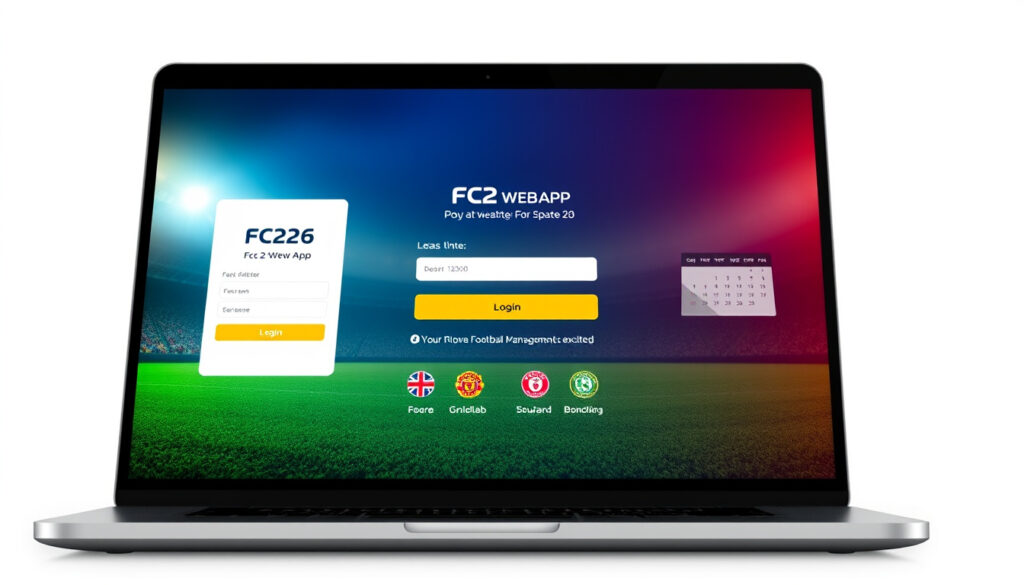
FC 26 Web App: Login, Access, Release Date Guide
If you’ve been grinding through FC 25 Ultimate Team this year, good news: EA has locked in the FC 26 Web App launch, and the window opens sooner than you might expect. The Web App lets you manage your club, hit the Transfer Market, and run Squad Building Challenges without booting up the full game — straight from your browser. Here’s everything you need to know before September 17, 2025.
Developer: EA Sports · Platforms: Web browser, iOS, Android · Primary Use: Manage Ultimate Team · Early Access Date: September 17, 2025 · Official Site: EA Sports FC Official Site
Quick snapshot
- Web App launches September 17, 2025 (EA Help)
- Companion App follows September 18, 2025 (Video Games Chronicle)
- Full game Standard Edition drops September 26, 2025 (EA Official Site)
- Exact UTC/AEST launch minute for September 17
- Whether a Chrome extension arrives at launch
- Confirmed Australian-specific timing (unconfirmed by tier 1/2 sources)
- Ultimate Edition early access starts September 19, 2025 (EA Official Site)
- Companion App as direct iOS/Android replacement for Web App on mobile (EA Official Site)
The table below lays out the essential technical parameters and access windows for the FC 26 Web App ecosystem.
| Attribute | Value |
|---|---|
| Type | Browser-based Ultimate Team manager |
| Developer | EA Sports |
| Availability | Early access from September 17, 2025 |
| Login URL | EA Sports FC Official Site |
| Companion App Release | September 18, 2025 |
| PC Early Access Time | September 18, 2025, 1 PM BST |
| Typical Launch Pattern | Following 6 PM UK time |
| Eligibility Cutoff | Before August 1, 2025 |
How to access FC 26 Web App
Accessing the FC 26 Web App comes down to three things: a qualifying FC 25 Ultimate Team club, an active EA Account, and a desktop browser. The Web App lives at EA Sports FC Official Site — head there on or after September 17, 2025, and sign in with the EA Account linked to your platform of choice. The app is browser-only on desktop; mobile users need the Companion App instead.
Official login page
Navigate directly to the Web App login portal. EA’s official portal is the only trustworthy entry point — avoid searching for “FC 26 web app” and clicking sponsored links that don’t point to ea.com. The login page accepts EA Account credentials linked to your PSN, Xbox Live, or PC (Steam/EA app) account. You’ll need Login Verification enabled on your EA Account to complete the process, and you should know your security question answers in case prompted.
The Web App launches on a rolling basis — not every user gets in at the exact same minute. If the page throws an error on your first try, wait 15–30 minutes and refresh. According to community reports, some players have accessed the app before others purely due to server rollout timing.
Browser requirements
The Web App runs on desktop and laptop browsers. EA officially supports modern versions of Chrome, Firefox, Safari, and Edge. Mobile browsers won’t load the full interface — EA has built the Companion App specifically for iOS and Android to fill that gap. A Chrome extension for the Web App has been rumored but hasn’t been confirmed by EA.
FC 26 Web app login
The login flow is straightforward if your EA Account is already configured with two-factor authentication. If you’re not yet set up, EA requires you to enable Login Verification before you can sign into the Web App. This applies whether you’re accessing from a new device or your regular desktop.
EA account setup
If you don’t have an EA Account, head to the EA registration page and link it to your gaming platform account (PlayStation, Xbox, or PC). The account must match the one attached to your FC 26 purchase. Once registered and verified, you can log in directly via the Web App portal. According to Goal.com, the Web App access path runs through the EA Sports FC website login using your linked EA account.
Market bans from FC 25 may carry over and prevent Web App access in FC 26. If your account has an active Transfer Market restriction, you likely won’t be able to use that feature in the Web App until the ban lifts.
Troubleshooting login issues
If the login page stalls or throws a “service unavailable” error, the most common fixes are: log out of the full FC 26 game on your console or PC before attempting Web App access (you can’t be logged into both simultaneously), clear your browser cache, disable browser extensions temporarily, and try a different browser. If your club was deleted in FC 25, EA Help documentation confirms you won’t qualify for early access. For persistent issues, contact EA Support through the official help portal.
- Confirm you’re not logged into FC 26 on any platform — the Web App and console/PC versions can’t run simultaneously for the same account.
- Log out of Ultimate Team all the way to the main FC menu before shutting down your console, as FIFPlay notes.
- Ensure your EA Account has Login Verification enabled and that you can answer your security question.
- Clear browser cookies and cache, then retry.
- Switch browsers — Chrome tends to have the best compatibility.
Is the FC 26 Web App out
The FC 26 Web App launches in stages. Eligible users — those who logged into FC 25 Ultimate Team more than once before August 1, 2025 — can access the Web App starting September 17, 2025. The Companion App for mobile follows one day later on September 18, 2025, as an update to the existing FC 25 app. These dates come from EA’s official help documentation cross-verified across multiple gaming news outlets.
Early access details
Early access isn’t automatic for everyone. To qualify, you must have logged into FC 25 Ultimate Team more than once and created an Ultimate Team Club before August 1, 2025. Your account also needs to be in good standing — EA flags that a deleted FC 25 Club disqualifies you from early access. Rewards tied to early access appear in the apps on September 17, 2025, for all eligible accounts.
Full release info
Even if you’re not eligible for early access, the apps open to all FC 26 users after September 26, 2025, when the Standard Edition launches. Ultimate Edition pre-order buyers get a full week of early game access starting September 19, 2025, at midnight local time on console and 1 PM BST on PC. The EA Official Site breaks down every edition’s exact timing.
FC 26 web app not working
The most common reasons the Web App fails to load are simultaneous login conflicts, missing Login Verification setup, or server congestion on launch day. The app is strictly browser-based on desktop — it won’t run on mobile browsers, so if you’re trying to access via a phone, you need the Companion App instead.
Common fixes
Before diving into support, try these steps in order: (1) Confirm you’re not logged into FC 26 on any platform — the Web App and console/PC versions can’t run simultaneously for the same account. (2) Log out of Ultimate Team all the way to the main FC menu before shutting down your console, as FIFPlay notes. (3) Ensure your EA Account has Login Verification enabled and that you can answer your security question. (4) Clear browser cookies and cache, then retry. (5) Switch browsers — Chrome tends to have the best compatibility.
Support contacts
If self-help steps don’t resolve the issue, EA Support is the official channel. You can reach them through EA Help. For account-specific issues like forgotten credentials or banned accounts, the support portal handles resets and appeals. Community forums like FIFPlay can help with practical tips, but for policy-level account issues, go directly to EA.
The implication: persistent login failures after exhausting these steps typically indicate an account-specific issue that requires direct EA intervention rather than browser or device troubleshooting.
FC 26 web app release time Australia
Australian players access the Web App following the global launch pattern — no unique regional delay has been confirmed by EA. Based on prior years, the Web App typically launches around 6 PM UK time. For Australian users, that’s roughly 3 AM AEST on September 18, 2025.
Regional timing
No specific Australian release time has been announced by EA. Tier 1 and tier 2 sources point to a global launch following the UK pattern, with rolling server deployment meaning some users globally may get in before others regardless of region. Australian players should expect to check the Web App around the early morning hours AEST on September 18, 2025, if the UK 6 PM pattern holds.
Global rollout
The Web App doesn’t deploy region-by-region — it goes live globally but with staggered server capacity. Ultimate Edition on console launches at midnight local time in each region on September 19, 2025, which means Australian players on console get access then. PC Ultimate Edition early access is set for September 18, 2025, at 1 PM BST (around 10 PM AEST).
For Australians chasing day-one Transfer Market action, set an alarm for the early morning of September 18. The Web App typically drops around 6 PM UK time — that’s 3 AM AEST. If you’re not on PC early access, console Ultimate Edition access starts September 19 at midnight AEST.
Understanding Web App vs Companion App
The FC 26 Web App and Companion App serve the same Ultimate Team management functions but on different platforms. The Web App is browser-only, designed for desktop and laptop users who want full control of their club without opening the game. The Companion App is the mobile version — an iOS and Android update to the existing FC 25 app that launches September 18, 2025.
Upsides
- Manage your club, buy packs, and hit the Transfer Market without booting the full game
- Available September 17, 2025 — earlier than the September 26 full game launch
- Companion App gives mobile users full squad-building on the go
- Log in once to the full game by November 14, 2025, to keep app access active
Downsides
- Eligibility restricted to players with active FC 25 Ultimate Team history before August 1, 2025
- Cannot use Web App and full game simultaneously on the same account
- Market bans from FC 25 may carry over and block Transfer Market access
- No confirmed Chrome extension at launch
- Mobile browsers don’t support the Web App — Companion App required on phones
Starting September 17, 2025, the Web and Companion Apps are only available for EA SPORTS FC™ 26. — EA Help (Official EA Documentation)
If you deleted your Club in EAS FC 25, you won’t be able to get an early start. — EA Help (Official EA Documentation)
Facing login hurdles or seeking exact release times for the FC 26 Web App? This FC 26 Web App guide covers troubleshooting alongside early access details for Ultimate Team managers.
Frequently asked questions
What browsers work with FC 26 Web App?
The Web App officially supports Chrome, Firefox, Safari, and Edge on desktop and laptop. It does not work on mobile browsers — for phones and tablets, you need the Companion App.
Can I use FC 26 Web App without the full game?
Yes, if you meet the eligibility criteria. Players with active FC 25 Ultimate Team history (logged in more than once before August 1, 2025) can access the Web App starting September 17, 2025, without owning FC 26 yet.
How to download FC 26 Companion App?
The Companion App is an update to the existing FC 25 app on iOS and Android. Search “EA SPORTS FC Companion” in the App Store or Google Play — the update should appear around September 18, 2025.
What is FC 26 Web App extension?
A Chrome extension for the Web App has been rumored in the community, but EA has not confirmed its availability at launch. Check the official EA page closer to September 17 for updates.
Does FC 26 Web App require an EA account?
Yes. You must log in with an EA Account linked to your gaming platform (PlayStation, Xbox, or PC). Login Verification must be enabled on the account before you can access the Web App.
How to fix FC 26 Web App loading issues?
First, ensure you’re not logged into FC 26 on any platform simultaneously. Clear your browser cache, try a different browser, and confirm your EA Account has Login Verification enabled. If issues persist, contact EA Support.
Is FC 26 Companion App free?
Yes. The Companion App is a free download for iOS and Android. It’s a companion tool — you still need a copy of FC 26 to fully use its features.
More related posts
 Bigg Boss 19 Contestants: Full List, Winner, Eliminations
 Fortnite Item Shop Today: Current Items & Reset Times
 Misfits (TV Series) – Plot, Cast, Seasons and Where to Watch
 Punjab Kings vs Mumbai Indians Match Scorecard 2026
 bath and beyond nz
 Is Charlie Kirk Dead? 2025 Assassination Facts & Updates
 Pinch of Spice Invercargill: Menu, Review , and Contact Info
 Kai-Ji Adam Lo Faces 42 Charges for Lapu Lapu Day Attack