Trade Me Book a Courier: How to Book, Prices, Tracking & More
Anyone who’s sold something on Trade Me knows the moment after an auction ends: you’ve got a happy buyer, but now you need to get that parcel to them. Trade Me’s Book a Courier service makes that step surprisingly simple — and often cheaper than booking directly with a carrier. Here’s how the service works, what it costs, and how to compare your options across multiple courier companies.
Available carriers: NZ Post, Aramex, Packsend ·
Maximum parcel weight: 25 kg ·
Tracking included: Yes ·
Average booking time: 2 minutes ·
Price range (domestic): $5–$50 typical
Quick snapshot
- Log into My Trade Me (Trade Me Help)
- Enter parcel dimensions, weight, and destination (Trade Me Help)
- Compare prices across carriers (Trade Me Help)
- Confirm and book (Trade Me Help)
- NZ Post (standard service) (Trade Me Help)
- Aramex (economy option) (Trade Me Help)
- Packsend (bulky items over 25 kg) (Trade Me Help)
- Depends on size, weight, and distance (Trade Me Help)
- Often cheaper than booking direct (NZ Post)
- See prices before booking (Trade Me Help)
- Automatic tracking number provided (Trade Me Help)
- Track in My Trade Me or carrier site (Trade Me Help)
- Get door-to-door notifications (Trade Me Help)
The table below summarises the essential facts about Trade Me’s Book a Courier service.
| Feature | Details |
|---|---|
| Service name | Trade Me Book a Courier |
| Available carriers | NZ Post, Aramex, Packsend |
| Max item weight | 25 kg (standard); heavier via Packsend |
| Tracking | Always included |
| Mobile app | Yes (Trade Me Marketplace app) |
How do I book a courier on Trade Me?
What are the steps to book a courier?
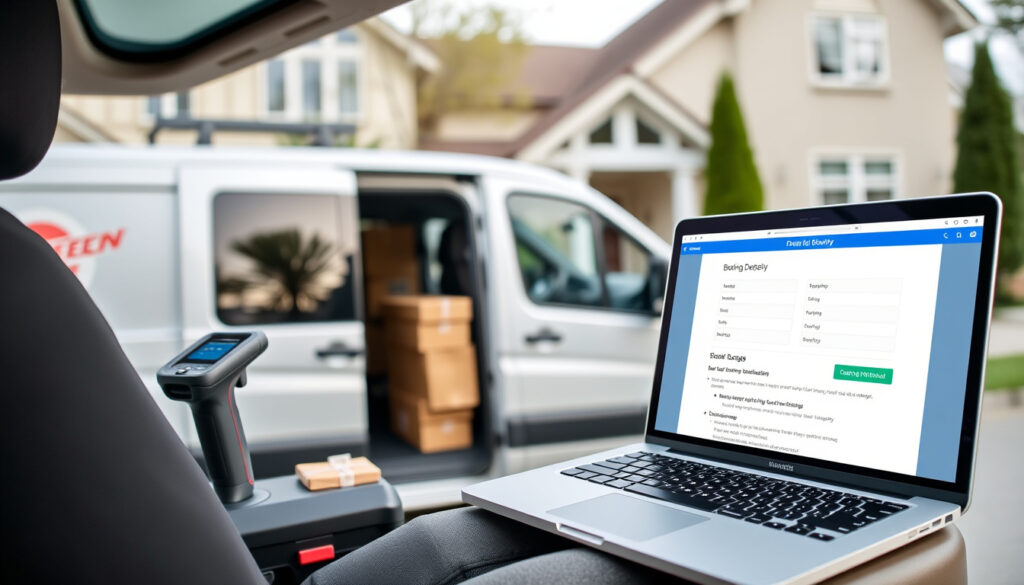
Booking a courier through Trade Me takes about two minutes. Start by logging into My Trade Me and selecting Book a Courier, then click Get started (Trade Me Help). You’ll first choose whether you’re sending an item sold on Trade Me or something else. Enter the package dimensions, pickup and delivery details, and the service shows you estimated prices from different courier companies. Select a service and click Book your courier to confirm.
Trade Me notes that these are estimated prices, not guaranteed final prices — the actual cost depends on delivery address, package size, weight, and courier availability on the chosen pickup day (Trade Me Promo Page).
Do I need to create a listing first?
No. You can use the Something else I want to send option even if the item isn’t in a Trade Me listing (Trade Me Community News). However, when you do create a listing, you can select Calculate courier costs to estimate shipping, and those options will show on the listing (Trade Me Promo Page). A seller can book a courier even if shipping wasn’t included in the original shipping options (Trade Me Community News).
What courier services are available on Trade Me?
Which carriers are supported?
Trade Me partners with three main carriers for Book a Courier (Trade Me Help):
- NZ Post – standard domestic courier service
- Aramex – economy option with competitive pricing
- Packsend – for bulky or heavy parcels (over 25 kg)
Are there any restrictions?
You cannot use PO boxes for delivery (Trade Me Help). Each carrier sets its own size and weight limits; Packsend handles the heaviest items, but availability may vary by region.
The exact set of carriers displayed at checkout depends on your pickup location and the parcel’s dimensions — not every route offers all three options.
How much does Trade Me courier cost?
Are prices cheaper than booking direct?
Trade Me’s Book a Courier offers “mates’ rates” with prices reportedly starting from $4.07 (Trade Me Marketplace Article). For comparison, NZ Post’s direct Courier service for a 3 kg parcel ranges from $7.60 to $16.20, and their Standard service (up to 3 working days) costs $5.60 to $14.20 (NZ Post Domestic Sending). That means Trade Me’s aggregated rates are typically lower — sometimes by a noticeable margin.
Do prices vary by carrier?
Yes. The final price depends on three factors: delivery address, package size, and weight (Trade Me Help). Aramex tends to be the cheapest option for smaller, lightweight parcels, while NZ Post offers faster transit times at a moderate premium. Packsend is the go-to for bulky items.
Because Trade Me shows you prices from multiple carriers side-by-side before you book, you can instantly pick the cheapest option for your specific parcel — no need to check each courier’s website separately.
One pattern across all carriers: the price you see in Book a Courier is an estimate, not a guarantee (Trade Me Help). The final price may change if the package is reweighed or re-measured during pickup.
How do I track my Trade Me courier?
Where do I find tracking information?
Every booking includes a tracking number automatically. You can see the tracking status in My Trade Me under the relevant order, or by visiting the carrier’s own tracking page (Trade Me Help). Trade Me’s promotional material says you can “track parcels door to door” (Trade Me Marketplace Article).
Is tracking automatically included?
Yes. Unlike some budget courier services that charge extra for tracking, Trade Me’s Book a Courier includes it at no additional cost — for all carriers.
If you’re a frequent seller, having tracking on every parcel reduces disputes with buyers and gives you proof of delivery — a simple but powerful feature that many third-party shipping services charge extra for.
Is there a Trade Me courier app?
Can I book a courier through the mobile app?
Not directly in the app. Trade Me’s Help page explicitly states that Book a Courier “is not available in the iOS app or Android app and must be used in a browser” (Trade Me Help). You can log in via your phone’s browser — the process works fine on mobile — but there is no dedicated courier-booking feature in the Trade Me Marketplace app itself.
What features does the app offer?
The Trade Me app lets you manage listings, messages, and track existing orders (including courier tracking numbers once a booking is made). But if you want to initiate a new booking, you’ll need to open a browser and go to My Trade Me.
The browser-only restriction means you can’t start a booking while you’re already in the app. To avoid frustration, save the Book a Courier page as a bookmark on your phone’s home screen.
Courier comparison: NZ Post vs Aramex vs Packsend
Three carriers, one pattern: NZ Post is the fastest and most widely available, Aramex is the cheapest for small parcels, and Packsend exists for the heavy outliers.
| Carrier | Best for | Max weight (standard) | Typical price (3 kg parcel) | Tracking |
|---|---|---|---|---|
| NZ Post Courier | Speed and reliability | 25 kg | $7.60–$16.20 (NZ Post) | Included |
| Aramex | Low cost | 25 kg | Typically $5–$10 (via Trade Me estimate) | Included |
| Packsend | Bulky/heavy items | Over 25 kg (varies) | Depends on dimensions | Included |
The pattern is clear: for most parcels under 25 kg, Aramex tends to offer the lowest price, while NZ Post provides faster delivery and Packsend handles items that exceed standard limits.
Pros and cons of Trade Me Book a Courier
Upsides
- Compare multiple carriers in one place
- Prices often lower than booking directly
- Tracking included on all bookings
- No printing required — just package, add label, send
- Can book for any item, not just Trade Me listings
Downsides
- Not available in the mobile app — requires browser
- Prices are estimates, not guaranteed
- PO boxes not accepted
- Packsend availability may be limited in some regions
- No dedicated customer support for courier issues
Step-by-step guide to booking a courier on Trade Me
- Log into your Trade Me account and go to My Trade Me.
- Select Book a Courier from the menu, then click Get started (Trade Me Help).
- Choose whether you’re sending an item sold on Trade Me or something else.
- Enter the package dimensions (length, width, height) and weight.
- Provide the pickup and delivery addresses (no PO boxes).
- Review the estimated prices from available carriers and select your preferred service.
- Click Book your courier to confirm.
- Print or save the label (if required) — Trade Me’s introduction says no printing is needed (Trade Me Community News)
- Attach the reference number to your parcel and leave it for pickup or drop it off.
Following these steps ensures you complete the booking without missing any details.
What’s confirmed and what’s unclear
Confirmed facts
- Trade Me partners with NZ Post, Aramex, and Packsend (Trade Me Help)
- Booking is done through My Trade Me in a browser (Trade Me Help)
- Tracking is provided for all bookings (Trade Me Help)
- You can book for items not sold on Trade Me (Trade Me Help)
- No PO box deliveries (Trade Me Help)
- Prices are estimates, not guarantees (Trade Me Help)
What’s unclear
- Exact pricing per route (depends on distance, weight, and real-time availability)
- Whether Packsend is available in all regions
- Integration with third-party shipping plugins
Quotes from users and official sources
Tell us about your package… See prices from different delivery companies.
Trade Me Help (official support guide)
Book a Courier provides instant estimates and mates’ rates across Aotearoa. Contactless home pick-up and track parcels door to door.
Trade Me Marketplace Article (promotional)
NZ Post Courier service is priced at $7.60 to $16.20 for parcels up to 3 kg.
NZ Post Domestic Sending (official pricing page)
For sellers on Trade Me, the choice is clear: use Book a Courier to compare rates and save time, or book directly and risk paying more. The service delivers exactly what it promises — a quick, transparent way to send parcels without the hassle of checking each courier separately. If you regularly ship items, even a small saving per parcel adds up.
Related reading: Book a Courier help guide · Introducing Book a Courier
trademe.co.nz, help.trademe.co.nz, help.nzcouriers.co.nz, reddit.com, parcel2courier.co.nz, packsend.co.nz, reddit.com, youtube.com
Frequently asked questions
Can I book a courier without a Trade Me account?
No — you need a Trade Me account and must log into My Trade Me to access Book a Courier.
What happens if my parcel is lost or damaged?
You’re covered by the carrier’s own liability policy. Trade Me advises contacting the carrier directly with your tracking number.
Do I need to print a label?
Most bookings don’t require printing — you can write the reference number on the parcel. Check the carrier’s instructions at booking.
How do I schedule a pickup?
During the booking flow you can choose a pickup date and time window. A courier will collect from your address.
Can I cancel a courier booking?
Yes, you can cancel from My Trade Me before the courier collects the parcel. Refund policies vary by carrier.
Are there any discounts for high-volume sellers?
Trade Me doesn’t publicly advertise volume discounts. However, the mates’ rates available through Book a Courier are already competitive.
How do I change the delivery address after booking?
You may be able to change the address by contacting the carrier directly with your tracking number, but it’s not guaranteed.
More related posts
 $2 Shop Near Me: History, Appeal & Where to Find One
 Dodgers vs Toronto Blue Jays Match Player Stats: Game 7
 Noel Leeming New Lynn: Store Guide, Hours, Phone & Products
 Invercargill to Auckland Flights: Time, Price & Airlines (2025)
 Lamorna Road Parklands: Street Guide, Property & Crime
 Ant-Man and the Wasp: Hit or Flop, Cast, Plot & More
 The Last Letter by Rebecca Yarros: Summary, Ending & FAQs
 Real Madrid vs Valencia CF Lineups – Confirmed XIs Injuries News