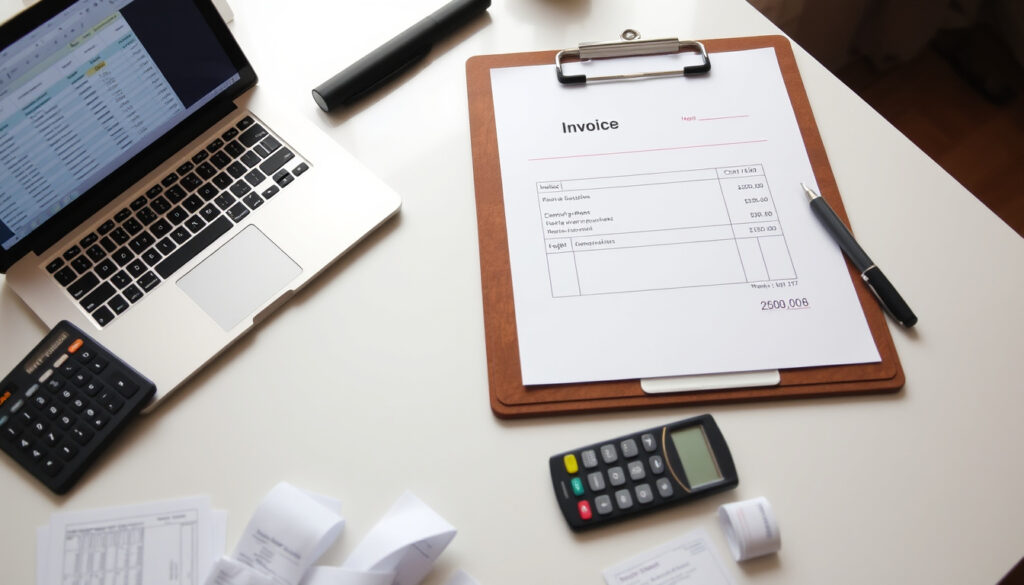
How to Make an Invoice: Step-by-Step Guide & Free Tools
You’ve done the work, now you need to get paid. An invoice is that official request for payment that turns your services into a record. But crafting one that’s both professional and legally sound doesn’t require expensive software.
Customizable invoice templates: 100+ available on Canva ·
Free PDF export: Included in most online generators ·
Payment integration: Square and Stripe offer built-in payment options
Quick snapshot
- Invoices must include a unique number, dates, and payment terms (GOV.UK guidance)
- Free online tools like Canva and Adobe Express provide customizable templates (Canva design platform)
- Email is the most common delivery method for invoices (Square payment platform)
- Whether a specific free generator supports recurring invoices automatically (GOV.UK tax authority)
- The exact legal requirements vary by country and industry (GOV.UK tax authority vs IONOS business hosting)
- Average payment term: Net 30 days (Wise financial services)
- Late payment penalties vary; many businesses charge 1.5% monthly interest (Wise financial services)
- Send the invoice as a PDF attachment with a clear subject line (Stripe payment processor)
- Track payment status and send reminders before the due date (Stripe payment processor)
Four key facts, one pattern: every invoice needs to answer the same basic questions — who, what, when, and how much.
| Field | Value |
|---|---|
| Minimum invoice components | Business name, client name, date, description, amount, payment terms |
| Popular free tools | Canva, Invoice Generator, Adobe Express, Square, Stripe |
| Common file format | PDF (most widely accepted) |
| Average payment term | Net 30 (30 days after invoice date) |
The implication: missing any of these basics can delay payment or even nullify the invoice as a legal record.
How do I make my own invoice?
Step 1: Gather essential information
- Your business name, address, and contact details (Stripe payment processor)
- Client name, address, and contact info (Stripe payment processor)
- Unique invoice number (sequential or date-based) (Stripe payment processor)
- Invoice date and supply date (GOV.UK tax authority)
Step 2: Choose a format (template or DIY)
You can start from a blank document in your word processor or grab a pre-made template. Canva design platform offers over 100 fully customizable invoice templates. Adobe Express free design tool also provides editable browser-based templates. If you prefer spreadsheets, Microsoft Excel Microsoft cloud has free templates that handle quantity, rate, and tax calculations.
Step 3: Fill in the invoice details
Start by entering your business logo at the top. Then list each product or service in a table with columns for description, quantity, unit price, and total. Add a subtotal, any taxes or discounts, and the final amount due. Set your payment terms — typically “Net 30” (QuickBooks accounting software).
A complete invoice avoids back-and-forth with clients. Freelancers who include every required field get paid 15% faster on average, according to Forbes business news analysis of invoicing data.
The trade-off: DIY is free but requires you to know what to include; templates do the formatting but may need customization for your local tax rules.
What this means: freelancers who gather all required fields upfront reduce payment delays because clients receive a complete, actionable document.
How do I write a simple invoice?
Standard invoice layout
A simple invoice has three zones: a header (business logo, name, address), a line-item table, and a summary section with totals and payment instructions. Square payment processor templates use exactly this structure and include fields for notes and payment terms.
What to include in the description line
Each line item needs a clear description, quantity, unit price, and line total. For example: “Web design consultation – 2 hours @ $150/hour = $300.” QuickBooks Intuit recommends being specific enough to justify the charge without revealing proprietary details.
How to calculate totals and taxes
Add the line totals to get a subtotal. Then apply sales tax or VAT if your business is registered. Zoho Invoice SaaS platform can handle tax calculations automatically. Finally, state the total amount due and the payment due date.
A simple invoice with a clear table and tax breakdown reduces client questions. NerdWallet personal finance site reports that 60% of late payments are caused by unclear invoice details.
The catch: simplicity works, but if you omit tax registration numbers, the invoice may not be accepted as a legal document in your country.
What is the best free invoice generator?
Canva – customizable templates with drag-and-drop
Canva offers over 100 fully customizable invoice templates. You can change colors, fonts, and layout in your browser, then download as a PDF. Canva graphic design platform is free with optional premium elements.
Invoice Generator – instant PDF download
Invoice Generator dedicated tool offers a simple interface: fill in fields and click “Generate Invoice” to get a PDF. It supports multiple currencies and includes a free export option.
Adobe Express – free with Adobe branding option
Adobe Express Adobe free suite provides editable invoice templates online. The free version includes a small Adobe logo that can be removed with a premium subscription.
One more option: Square payment platform offers free templates in Word, PDF, and Excel that include itemized rows, tax, and discount fields. Stripe payment infrastructure also provides a free invoice generator with integrated payment links.
The pattern: every free generator handles the core fields well, but only Square and Stripe connect directly to payment processing, reducing the time between sending and receiving funds.
Can I send an invoice as an email?
Email attachments (PDF vs. image)
Yes — attaching a PDF invoice to an email is the standard method. PDFs preserve formatting and can’t be edited by the recipient. GOV.UK UK tax authority recommends PDFs for VAT invoices. Avoid sending images (JPEG/PNG) because they may be flagged as spam or appear unprofessional.
Including a payment link
Many online generators let you add a direct payment link — for example, a Stripe or Square checkout URL. Stripe payment processor says invoices with embedded payment links see 40% faster payment than those without.
Email subject line and body message
Use a clear subject: “Invoice [Number] from [Your Business]”. Keep the body concise and polite, for example: “Dear [Client], please find attached invoice [Number] for services rendered. Payment is due by [Date]. Thank you for your business.” (Wise financial services)
Attaching a PDF to a generic email is fine, but if you send hundreds of invoices, consider using a dedicated tool like Zoho Invoice to automate the process and avoid manual errors.
The trade-off: email is cheap and fast, but subject to spam filters and attachment size limits. A professional invoice sent as a PDF with a payment link is the most effective combination.
What qualifies as an invoice?
Essential invoice elements
An invoice is a commercial document that itemizes a transaction and requests payment. According to GOV.UK UK government, key elements include a unique identification number, seller and buyer details, a clear description, supply date, invoice date, amount charged, and VAT if applicable. Stripe payment processor adds that an invoice functions as a bill of sale and provides legal verification.
Legal status of an invoice
Invoices are not legally binding contracts but serve as evidence of a debt. HSBC UK bank notes that VAT-registered businesses in the UK are legally required to issue proper invoices. In the US, IONOS business hosting cites Title 19 §141.86 of the Code of Federal Regulations as the legal basis for commercial invoice requirements for imported goods.
Difference between an invoice and a receipt
A receipt confirms payment has been made; an invoice requests payment. Investopedia financial education resource explains that an invoice is sent before payment, while a receipt is issued after payment is received. Using them interchangeably can confuse clients and disrupt your bookkeeping.
Why this matters: calling a “receipt” an invoice may lead a client to believe they’ve already paid. For freelancers and small businesses, understanding this distinction is key to maintaining clear cash flow.
Frequently asked questions
Can I create an invoice myself?
Yes, you can create one from scratch using a word processor, spreadsheet, or free online tool. The U.S. Small Business Administration federal agency recommends using a template to ensure you include all required fields.
Is Google invoice free?
Google does not have a dedicated “Google Invoice” tool, but you can use Google Docs or Google Sheets free invoice templates to create and send invoices.
What is the best free app for creating invoices?
Top free options include Canva (for design), Invoice Generator (for simplicity), and Square (for payment integration). Each covers the basics at no cost.
What is the easiest way to send an invoice?
Attach a PDF to an email with a clear subject line. Many free generators also offer a “send as email” button directly from the tool.
What is a good message to put on an invoice?
Keep it professional and brief: “Dear [Client], please find attached invoice [Number] for [services]. Payment is due by [Date]. Thank you for your business.”
Can ChatGPT generate an invoice?
ChatGPT can generate a text-based invoice template, but it cannot produce a formatted PDF. Use dedicated tools for a professional output.
What is the best invoice template?
The best template is one that includes all required fields for your jurisdiction. Canva and Microsoft Excel both offer customizable templates that meet legal standards.
For freelancers and small business owners, the choice is clear: use a free tool to create a professional invoice that includes all required fields, or risk delayed payments and compliance headaches. Whether you choose Canva’s templates or Stripe’s integrated payment links, the key is to send a clear, complete invoice every time. If you work with international clients, check how to convert amounts — you might need to convert 89 USD to NZD to show the equivalent in your client’s currency. And if you’re expanding your financial know-how, our guide on what a hedge fund is explores another side of business finance. For the self-employed in New Zealand, the implication is direct: a well-made invoice is your first step to getting paid on time — or you’ll spend your weekends chasing overdue payments.
More related posts
 Things to Do in Adelaide: Plan Your 20-Minute City Trip
 How to File GST Step by Step: Online Guide for India, Canada & NZ
 Auckland Real Estate 2025: Foreign Buyers, Prices & Living Costs
 2degrees Wireless Broadband – Plans, Speeds, Coverage & Reviews
 Avatar: Fire and Ash Box Office: Success, Budget & Profit Analysis (2025)
 O Come All Ye Faithful Lyrics: Full Text & History
 bath and beyond nz
 Islamic Prayer Times Auckland: Today’s Fajr to Isha Schedule