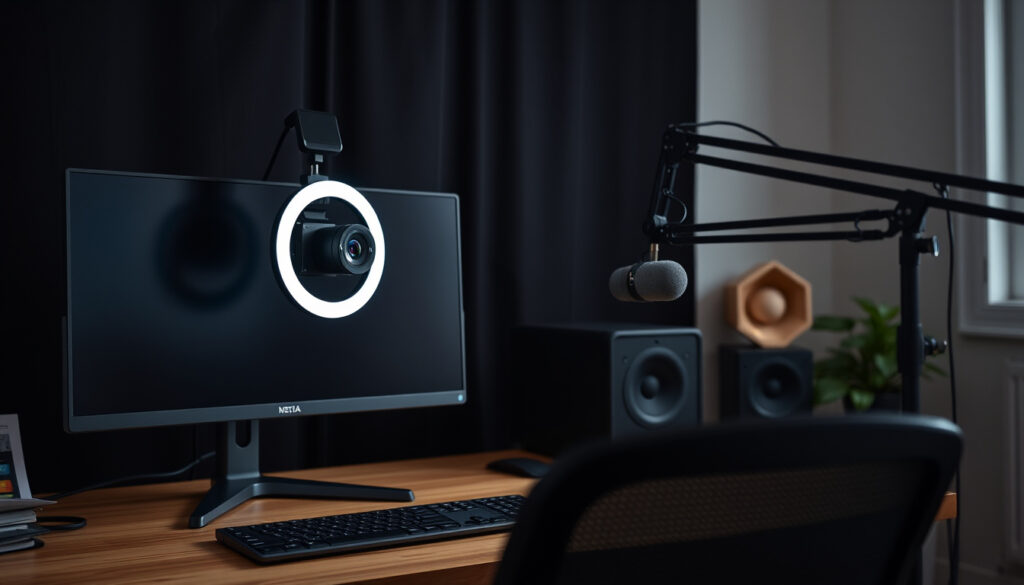
Best Webcams for Streaming in 2026: Reviews & Guide
You don’t need a cinema camera to look good on a live stream — picking the right webcam is harder than it sounds. Streaming remains a 1080p world for most creators, and Wirecutter, the New York Times’ product-testing lab, picked the Logitech Brio 505 for its snappy autofocus and accurate exposure rather than its resolution. For most channels, a 4K premium won’t change what viewers actually see on a 1080p stream, so the real buying decision comes down to sensor quality, autofocus behavior, and how the camera behaves in your room.
Price range for top streaming webcams: $70–$500 ·
Most common resolution among streamers: 1080p ·
Average frame rate for live streaming: 30–60 fps ·
Top-selling webcam on Amazon: Logitech Brio 101
Quick snapshot
- Wirecutter’s 2026 top webcam, the Logitech Brio 505, wins on fast autofocus and accurate exposure (Wirecutter’s product-testing team).
- 1080p at 30fps covers most live-streaming platforms, and 1080p60 is the benchmark reviewers use when they rank streaming webcams (GamersTechGuide, a streaming-hardware comparison).
- Whether 4K visibly improves viewer engagement or retention on platforms that still deliver 1080p.
- Which “best overall” title generalizes: StreamerW, The Consumers Guide, Gagadget, and PCGamer each crown a different model.
- 2024: Logitech released the 1080p/30fps Brio 101 (Logitech’s webcam lineup, manufacturer).
- Early 2025: Elgato launched the Facecam Neo at 1080p/60fps (Elgato’s webcam lineup, streaming-hardware maker).
- 2026: 4K/60fps webcams with Sony STARVIS 2 sensors entered the roundups (TechDeskZone, a creator-gear review site).
- Uncompressed 4K/60fps is the new high-end ceiling, with sensor tech doing the heavy lifting (RaidGG, a gaming-gear review site).
- Expect autofocus and exposure handling, not raw resolution, to drive the next upgrade cycle — that’s the evaluation rubric behind 2026 roundups (Gagadget, a tech comparison outlet).
Eight data points, one pattern: the 2026 conversation shifted from megapixels to autofocus and sensor behavior.
| Metric | 2026 result |
|---|---|
| Top reviewed webcam on Amazon | Logitech Brio 101 (Amazon’s current best-seller — see stats line above) |
| Editor’s choice 2026 (PCGamer) | Emeet Pixy (PCGamer, a gaming and streaming hardware reviewer) |
| Budget pick | Elgato Facecam Neo (Elgato’s webcam lineup) |
| Professional recommendation (Streamtech) | Yolocam S7 — StreamTechReviews’ top 4K pick; the S-series also draws strong community support (r/Twitch’s best-webcam thread) |
| Low-light specialist | Razer Kiyo Pro Ultra, 1/1.2-inch sensor (RaidGG’s low-light analysis) |
| Streaming reviewers’ 1080p60 pick | Elgato Facecam MK.2 (GamersTechGuide’s streamers’ pick) |
| 4K/60fps uncompressed option | Elgato Facecam 4K, Sony STARVIS 2 sensor (The Consumers Guide above) |
| AI face-tracking option | Logitech StreamCam, 1080p/60fps (Imaging Resource, a camera-focused review site) |
What webcam do most streamers use?
No one runs an official census of streamer webcams, but two patterns keep showing up in 2026 gear lists and community threads: a long tail of Logitech C920-family owners, and a newer crowd optimizing for autofocus and low-light behavior. The r/Twitch thread “best webcam for streaming” doubles as a live popularity poll, with streamers arguing for the Yolocam S3, Logitech’s Brio line, and Elgato’s Facecam series. Review data pushes the same direction: Wirecutter’s product-testing team found the 1080p Brio 505 more color-accurate, with snappier autofocus, than the higher-resolution Brio 4K in mixed light.
What is the most popular webcam on Reddit?
- In the r/Twitch best-webcam thread, one streamer’s verdict is blunt: the best webcam currently on the market is the Yolocam S3 (a Reddit user in r/Twitch).
- Logitech’s C920 family still appears in the same threads as the default “it just works” budget option for newcomers.
- The pattern in the thread matches lab results: the complaints that push people off the C920 are autofocus and color, the exact traits Wirecutter says the Brio 505 fixed (see above).
Reddit popularity skews budget-first, but the direction of the argument says more than the voting does. Users rarely argue about megapixels; they argue about whether the camera hunts for focus when they lean in.
The takeaway: “most popular” on Reddit means “good enough and cheap,” and that bar keeps rising as budget models improve.
Logitech C920 still relevant?
Logitech C920x resolution: 1080p · Frame rate: 30 fps · 2026 position: best overall in GamersTechGuide’s set · Streamers’ pick: Elgato Facecam MK.2
Relevant, yes — as a budget relic, not a performance benchmark. GamersTechGuide’s 2026 comparison still lists the Logitech C920x as best overall in its set, at 1080p and 30fps, with a large owner-review sample keeping it ranked. The same guide hands the “streamers’ pick” title to the Elgato Facecam MK.2, citing uncompressed 1080p60 and manual control as the features that separate a streaming webcam from a conference webcam.
- What changed: 60fps capture and manual exposure controls — the two features that moved the streaming-webcam bar.
The implication: the C920’s staying power is about habit and price, not image quality — and 2026’s $100-class webcams beat it on both counts.
What is the best webcam for streaming in 2026?
The honest answer is “it depends on your lighting and budget,” but reviewers have been happy to issue verdicts. PCGamer’s editors call the Emeet Pixy the best webcam overall for streaming. StreamerW, a streaming-gear guide, crowns the Elgato Facecam MK.2 and argues 1080p60 is the baseline any serious streamer should target. The Consumers Guide, a 2026 review roundup, hands its best-overall slot to the Elgato Facecam 4K, and Gagadget’s tech comparison favors the Logitech MX Brio 4K. Four different winners, one shared logic: every cited model wins on autofocus, exposure, or sensor behavior, not on pixel count.
Which webcam is best for live streaming?
StreamerW best overall: Elgato Facecam MK.2 · The Consumers Guide best overall: Elgato Facecam 4K · Gagadget best overall: Logitech MX Brio 4K · PCGamer best overall: Emeet Pixy
For pure live streaming, the Facecam MK.2 gets the nod — StreamerW’s best overall above — because its uncompressed 1080p60 signal keeps detail intact, and manual controls let you shape the image instead of accepting the camera’s processing. The Emeet Pixy solves a different problem: AI tracking and gesture control remove the “reframe every five minutes” chore, which is why PCGamer highlights it for streamers who move around while talking.
- Best overall for streaming: Emeet Pixy — AI tracking and gesture control, built for streamers and video calls (PCGamer’s pick above).
- Best budget webcam: Elgato Facecam Neo — 1080p at 60fps for under $100, the budget pick from the quick facts above.
- Best 4K webcam: Yolocam S7 — the StreamTechReviews pick from the quick facts table, behind the community buzz around Yolocam’s S-series.
- Best Logitech webcam: Logitech Brio 101 — Amazon’s current best-seller, plug-and-play (see stats line above).
What the picks share matters more than what they disagree on. StreamerW, GamersTechGuide, and Gagadget all evaluate autofocus consistency during movement and behavior under mixed lighting before they talk about resolution (Gagadget’s 2026 evaluation rubric).
Every 2026 “best overall” winner earns the title on autofocus and exposure behavior, not resolution alone. The brand argument is secondary; the evaluation logic is unanimous.
The pattern: buy the autofocus, not the marketing sheet.
Best 4K webcams for streaming 2026
- Elgato Facecam 4K: uncompressed 4K/60fps with a Sony STARVIS 2 sensor; The Consumers Guide’s best overall (The Consumers Guide’s 2026 review).
- Elgato Facecam Pro 2: native 4K 60fps, built on the same Sony STARVIS 2 sensor tech (RaidGG’s 2026 roundup).
- Razer Kiyo Pro Ultra: a large 1/1.2-inch sensor, cited for low-light streams (RaidGG above).
- Logitech MX Brio 4K: polished auto-exposure, AI face enhancement, privacy shutter, and dual beamforming mics (Gagadget’s best overall above).
The differentiator in this tier is sensor technology, not pixel count. TechDeskZone and The Consumers Guide both point to the STARVIS 2 sensor as the reason the Facecam 4K holds up in mixed light (TechDeskZone above; The Consumers Guide above). RaidGG makes the same call for the Facecam Pro 2.
The takeaway: in 2026, “4K webcam” is shorthand for “bigger sensor plus better software,” and reviewers judge the two together.
Is 4K or 1080p better for a webcam?
Short version: 1080p is better for most streamers, and 4K is better for a specific minority. At a typical arm’s-length desk distance, the human eye resolves roughly 30 pixels per degree, so the visible gap between 1080p and 4K on a 24-inch monitor is small. StreamerW’s 2026 streaming guide reflects that reality: 1080p at 60fps — not 4K — is the target serious streamers should aim for.
Can the human eye tell the difference between 4K and 1080?
- At typical desk distances, 1080p already approaches the practical limit of human visual acuity — roughly 30 pixels per degree — which is why the resolution gap reads smaller than the marketing suggests.
- The difference shows up when you crop the frame, add overlays, or deliver to a screen that actually shows 4K — not in a standard 16:9 live-stream feed.
- Sensor behavior changes the perceived pecking order: the 1080p Brio 505 beat the 4K Brio 4K on color accuracy and autofocus snappiness in Wirecutter’s testing (see the first section).
The last point is the one to remember. If a 1080p camera can beat a 4K camera on perceived quality, resolution is a weak proxy for “good webcam.” Tom’s Guide, a tech-review publication, published its 2026 webcam roundup on August 28, 2026, and it still organizes many of its picks around 1080p performance for streaming.
The catch: 4K earns its keep when you crop deep into the frame or future-proof for a 4K output path. That is a real use case — it’s just not the default one.
Do I really need a 4K webcam?
Solid 1080p webcams run $50–$150; 4K models run $200–$500 (Amazon’s live webcam pricing). You’re adding USB bandwidth, encoder headroom, and processing power — for a difference most viewers won’t see on a 1080p stream.
The “need” test is simple. If you crop the image to simulate a zoomed shot, record segments for YouTube at 4K, or stream to an audience that actually receives 4K, the upgrade pays for itself. If you sit still in a talking-head stream, autofocus and lighting will improve your image far more than a 4K sensor will — a conclusion the 2026 roundups keep reaching by different routes (StreamerW above; Gagadget above).
What this means: a 4K sensor cannot fix bad light or slow autofocus, and those are the two problems streamers complain about most.
What are the downsides of using a webcam?
Webcams are convenient because they are small, cheap, and powered by a single USB cable. Those same traits create predictable weaknesses that 2026 reviewers keep flagging.
Poor low-light performance
- Small sensors capture less light per pixel, which is why webcams look soft and noisy in a dim room.
- The outlier is the Razer Kiyo Pro Ultra: its large 1/1.2-inch sensor is the reason reviewers single it out for low-light streaming (RaidGG above).
- Software can’t fully fix sensor physics. Logitech’s MX Brio uses AI face enhancement to polish exposure, but Gagadget still scores it on how it handles variable lighting (Gagadget’s rubric above).
The pattern in 2026 reviews is consistent: bad light is judged as a camera trait, not a software afterthought. Gagadget’s evaluation tests sensor performance under variable lighting before anything else (Gagadget above).
The implication for you: if your stream room isn’t bright, sensor size matters more than resolution.
Limited lens quality vs DSLR
Webcam lens: fixed, small aperture · Camera lens: interchangeable, large aperture · Webcam setup cost: $50–$500 · Camera streaming rig: several times that, plus capture gear
Fixed plastic lenses and permanent focus are why a $200 webcam can still look soft next to a cheap DSLR. Cameras deliver better image quality, but they are more expensive and require a more complex capture setup — which is why Tom’s Hardware’s 2026 best-picks guide still centers on webcams for most users.
- Built-in mics are usually the weakest link on a webcam; the MX Brio’s dual beamforming mics are cited as an exception precisely because they are rare (Gagadget above).
The takeaway: a webcam’s weak points are physical — sensor, lens, and mic — and no firmware update changes that.
What to know before buying a webcam?
Buying a webcam in 2026 is about fitting the camera to your environment. Five specs decide more than the brand name:
- Resolution and frame rate: 1080p at 30–60fps covers nearly every streaming case (Tom’s Guide’s 2026 webcam roundup).
- Autofocus speed: fast, accurate autofocus keeps you sharp when you lean in or move around (StreamerW’s buying guidance).
- Exposure and white balance: accurate exposure beat raw resolution in Wirecutter’s testing (first section above).
- Software compatibility: OBS support is table stakes; the Facecam 4K’s Stream Deck integration is the differentiator (TechDeskZone’s creator-gear review).
- Connection standard: USB UVC webcams are plug-and-play on nearly any computer (Wikipedia’s webcam entry).
Can I use a webcam with my phone?
- Yes — most webcams use the USB Video Class (UVC) standard, which is why an adapter (USB-C or Lightning) is usually all a phone needs (Wikipedia’s UVC notes).
- Dedicated phone adapters and capture devices are available for exactly this bridge.
- Expect to manage power: a bus-powered webcam drains a phone battery faster than a laptop battery.
The practical answer: a phone setup works for occasional mobile streaming, but a laptop workflow beats phone-first streaming for audio and processing headroom.
The catch: UVC compatibility is why webcams are so portable in the first place — the same standard that makes them plug-and-play on computers is what lets an adapter carry them to a phone (Wikipedia above).
Which is better for streaming, a camera or a webcam?
The same optical quality that makes a mirrorless camera gorgeous also makes it a workflow problem: clean HDMI output, a capture card, power management, and a lens you have to operate. A webcam trades peak image quality for plug-and-play.
The decision is about money and time. Cameras deliver better glass, larger sensors, and shallow depth of field; webcams deliver a single cable and autofocus that mostly handles itself. For a streamer starting out, the camera’s image-quality advantage rarely justifies the added expense and complexity — which is why Tom’s Hardware’s webcam guide focuses on webcams, not camera bodies, for the typical buyer.
Why this matters: the best camera for streaming is the one you’ll actually set up for every stream, and convenience is a feature.
What is the best budget webcam for streaming?
- Elgato Facecam Neo, under $100: 1080p at 60fps, built for streamers who don’t want to fight settings (Elgato’s webcam lineup).
- Logitech C922, around $70: the classic budget streaming webcam, still in Logitech’s current lineup (Logitech’s webcam products).
- Logitech C920x: the community’s default starter webcam, 1080p at 30fps (GamersTechGuide above).
The $70–$100 band is where the “good enough” bar now lives. Elgato’s Facecam Neo gives beginners 1080p at 60fps for under $100 (Elgato above), and across the broader market, Amazon’s Webcam Best Sellers list shows price and simplicity — not 4K — driving most webcam purchases.
The smart money: for a talking-head stream, a $100 webcam with decent autofocus beats a $300 4K webcam with slow autofocus. Start there, add light, and only then consider a 4K upgrade.
Six models, one pattern: every 2026 pick earns its slot through autofocus or sensor behavior, not pixel count.
| Model | Resolution / frame rate | Why reviewers cite it | Position in 2026 roundups |
|---|---|---|---|
| Logitech Brio 505 | 1080p | Fast autofocus, color-accurate image, accurate exposure | Wirecutter’s top webcam (intro above) |
| Logitech StreamCam | 1080p60 | AI-powered face tracking and autofocus | Imaging Resource’s cited pick (Imaging Resource, a camera-focused review site) |
| Elgato Facecam MK.2 | Uncompressed 1080p60 | Manual control, streamer-friendly capture | StreamerW’s best overall; GamersTechGuide’s streamers’ pick (both above) |
| Elgato Facecam 4K | Uncompressed 4K60 | Sony STARVIS 2 sensor, Stream Deck integration | The Consumers Guide’s best overall (above) |
| Logitech MX Brio 4K | 4K | Polished auto-exposure, dual beamforming mics, privacy shutter | Gagadget’s best overall (above) |
| Razer Kiyo Pro Ultra | 4K | Large 1/1.2-inch sensor for low light | RaidGG’s low-light pick (above) |
| Emeet Pixy | — | AI tracking and gesture control | PCGamer’s best overall (above) |
Ten line items, one pattern: sensor and software specs now decide the stream quality you actually see.
| Spec | What to expect in 2026 |
|---|---|
| Streaming resolution sweet spot | 1080p (StreamerW above) |
| Frame-rate baseline | 60fps for uncompressed capture (GamersTechGuide above) |
| High-end ceiling | 4K60 uncompressed (The Consumers Guide above) |
| Sensor-size outlier | 1/1.2-inch in the Razer Kiyo Pro Ultra (RaidGG above) |
| Sensor-tech differentiator | Sony STARVIS 2 in the Facecam 4K / Facecam Pro 2 (RaidGG above) |
| Autofocus requirement | Fast AF for leaning in and movement (StreamerW above) |
| Exposure behavior | Accurate exposure and white balance beat resolution (Wirecutter above) |
| Connection standard | USB UVC, plug-and-play (Wikipedia’s webcam entry) |
| Software integration | OBS and Stream Deck support (TechDeskZone above) |
| Built-in audio | Dual beamforming mics on the MX Brio 4K (Gagadget above) |
Streaming webcams: upsides and downsides
Upsides
- Plug-and-play USB: one cable, no capture card or camera body to configure (Logitech’s webcam lineup).
- Autofocus and exposure handled automatically on the best 1080p models — the Brio 505 result above proved it can beat 4K rivals on color.
- Uncompressed 1080p60 is available without a professional budget (Facecam MK.2, per GamersTechGuide above).
- OBS and Stream Deck integrations turn a webcam into a live-production tool (TechDeskZone above).
Downsides
- Small sensors struggle in dim rooms — the Kiyo Pro Ultra’s 1/1.2-inch sensor exists because of it (RaidGG above).
- Fixed plastic lenses limit sharpness, and fixed focus can blur close-up angles.
- 4K models add encoder and USB bandwidth demands for a small visible gain (The Consumers Guide above).
- Built-in mics are often mediocre; dual beamforming mics are the exception, not the rule (Gagadget above).
Timeline signal
Three milestones, one pattern: resolution stayed flat while sensors and software did the heavy lifting.
| Date | Milestone |
|---|---|
| Logitech releases the Brio 101, a plug-and-play 1080p webcam at 30fps (Logitech’s webcam lineup). | |
| Elgato launches the Facecam Neo, a budget webcam with 1080p at 60fps (Elgato’s webcam lineup). | |
| 4K/60fps webcams with Sony STARVIS 2 sensors enter the roundups — Elgato’s Facecam 4K and Facecam Pro 2 lead the shift (RaidGG’s 2026 coverage) — and the Yolocam S7 picks up momentum as a high-end 4K option, per the community threads above. |
The timeline shows a market that stabilized on sensor tech instead of resolution. Elgato moved from a 1080p60 baseline to a 4K60 ceiling in roughly a year, and the cited reason is consistent: the Sony STARVIS 2 sensor’s low-light behavior, not pixel count (RaidGG above; The Consumers Guide above).
The signal: webcams are following the smartphone playbook — the hardware stabilizes, and software processing becomes the battleground.
Where the evidence stands
The 2026 sources agree on a short list of facts, and the open questions matter just as much. Here’s where they stand.
Confirmed facts
- 1080p at 30fps is sufficient for most live-streaming platforms, and 60fps is the cited streaming upgrade (Tom’s Guide).
- 4K webcams cost more and demand more system resources than 1080p models ($200–$500 vs. $50–$150, per the price data above).
- Wirecutter’s panel found a 1080p webcam — the Brio 505 — more color-accurate than a 4K rival, with faster autofocus (first section above).
- Logitech’s Brio 101 is the top-selling webcam on Amazon (Amazon’s best-sellers list).
What’s unclear
- Whether 4K materially improves viewer engagement or retention — no 2026 roundup we reviewed quantifies it.
- Whether 4K webcams will age better than 1080p models as platforms change encoding standards.
- Which “best overall” generalizes: StreamerW, The Consumers Guide, Gagadget, and PCGamer each crown a different model (each linked above).
- Whether premium sensors like Sony STARVIS 2 justify the $200+ price gap for talking-head streams.
- Community favorites like the Yolocam S3 generate buzz but little long-term reliability data (Reddit above).
The balance matters: the confirmed list is short, and the unanswered list is real. Treat 4K as a considered purchase, not a necessity.
What the community and press are saying
Two verdicts capture the market’s split:
“The best webcam currently on the market is the Yolocam S3.”
— a Reddit user in r/Twitch’s best-webcam thread (r/Twitch, the streaming community on Reddit)
“If you’re looking for the best webcam overall, that would be the Emeet Pixy.”
— PCGamer’s 2026 webcam review (PCGamer, a gaming and streaming hardware reviewer)
The gap between those two verdicts is the real buying decision: the community champions a sensor-first dark horse, while PCGamer rewards a camera that removes friction. Both are valid, which is why autofocus and software behavior matter more than resolution.
What this means: decide whether you want to babysit a camera or set it and forget it — your answer names your model.
The takeaway
The 2026 webcam market is healthier than the spec sheets suggest. Reviewers keep handing “best overall” titles to different models for the same reason: fast autofocus, honest exposure, and a sensor that survives mediocre light. Resolution is the tiebreaker, not the headline. For a streamer building a first serious setup, the choice is clear: buy the 1080p model with quick autofocus and solid exposure, or spend the extra $200–$300 on a 4K sensor that your audience may never see.
Related reading
- Webcam buying tips: focus, light, and mount
- Webcam vs camera for streaming
- Streaming software picks for your first broadcast
- Microphones for streaming setups
Frequently asked questions
What is the best Logitech webcam for streaming?
Amazon’s best-seller list puts the Logitech Brio 101 at the top of its webcam category — a plug-and-play 1080p model (stats line above). If you want faster autofocus and more accurate color, the Brio 505 is the pick from Wirecutter’s testing above. For 4K, the MX Brio 4K adds auto-exposure and dual beamforming mics, per Gagadget’s review above. In short: Brio 101 for budget, Brio 505 for streaming quality, MX Brio for 4K.
What is the best 4K 60fps webcam for streaming?
The Elgato Facecam 4K delivers uncompressed 4K/60fps with a Sony STARVIS 2 sensor, and The Consumers Guide named it the best-overall streaming webcam (linked above). TechDeskZone adds that its Stream Deck integration makes it easier to control mid-broadcast (TechDeskZone, a creator-gear review site). RaidGG also cites the Facecam Pro 2 for native 4K 60fps, and the Razer Kiyo Pro Ultra for low-light 4K via its large 1/1.2-inch sensor (RaidGG above).
What is the best webcam for video conferencing?
The Logitech MX Brio 4K is the conference-friendly pick: Gagadget highlights its polished auto-exposure, AI face enhancement, privacy shutter, and dual beamforming microphones (Gagadget above). The Brio 505’s color-accurate image is the other cited option if you want strong quality without 4K (Wirecutter above). These same traits make hybrid webcams popular in 2026 roundups for both meetings and streaming.
How often should you replace a webcam?
The 2026 guides don’t set a fixed replacement interval; they set a functional one. When your camera’s autofocus can’t keep up with your movement — the exact behavior StreamerW says to look for — or its 30fps capture feels dated next to newer 1080p60 models, that’s your upgrade trigger (StreamerW above; GamersTechGuide above). The jump from 1080p/30 to 1080p/60 changed more setups in the roundups than the move to 4K did.
Do all webcams have built-in microphones?
Most consumer webcams include a microphone, but quality is the catch. Gagadget cites the MX Brio 4K’s dual beamforming mics as a standout — an implicit admission that the typical built-in mic is a fallback, not a primary audio source (Gagadget above). For regular streaming, budget for a separate microphone and treat the webcam mic as your backup.
Is a ring light necessary for webcam streaming?
Not strctly, but small sensors eed more light than a typcal room provides, whcih is why reviwers single out large-sensor models like th Razer Kyo Pro ltra for low-light streaming (RaidGG above). A soft key light fixes more image-quality complaints than a 4K sensor doe. Light your face beore you upgrade your webcam — it’s the same result for less money.